Candidates who sat for the 2026 West African Senior School Certificate Examination (WASSCE) can now check their results following the release of the provisional results by the West African Examinations Council (WAEC).
The release means thousands of candidates can now access their individual results online using the official WAEC results-checking portal.
To check the results, candidates will need a valid WAEC Result Checker e-PIN and serial number. The voucher can be purchased by dialing *713*3998# or visit https://buycheckercodes.com.gh
How to check your 2026 WASSCE results
Candidates can follow these steps
1. Visit the official WAEC results-checking portal:THE WEST AFRICAN EXAMINATIONS COUNCIL (RESULT CHECKER)
2. Enter your Index Number.
3. Select WASSCE as the examination type.
4. Select 2026 as the examination year.
5. Enter the Serial Number on your result-checker voucher.
6. Enter the 12-digit PIN on the voucher.
7. Carefully confirm your Index Number and examination year.
8. Click Submit and wait for your results to appear.
Judicial Service breaks silence on CJ’s ‘SOEs doing better than past 8 years’ remarks
Candidates are advised to remain patient after submitting their details, as the results may take a few moments to load.
WAEC has also cautioned candidates and the general public against fraudsters who claim they can upgrade or alter examination results for a fee.
The examination body has urged candidates to rely only on official WAEC channels when checking their results and to avoid sharing their result-checker details with unauthorised persons.
PAH/AM
#TrendingGH: 'Revisit the case' - Netizens react to controversial court ruling
General News of Saturday, 5 September 2026
Source: www.ghanaweb.com
2026 WASSCE Results Released: Here's how to check your results
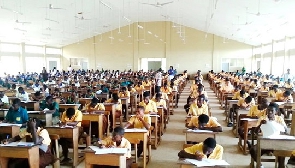 WAEC has cancelled the entire results of 861 candidates