This blog is managed by the content creator and not GhanaWeb, its affiliates, or employees. Advertising on this blog requires a minimum of GH₵50 a week. Contact the blog owner with any queries.
Xorlali Blog of Monday, 1 June 2026
Source: Xorlali Esther Kugbey
Shortcode to Buy 2026 BECE Results Checker on your Phone
- Share:


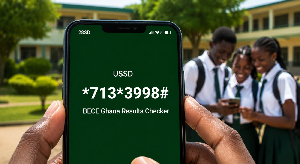
This article provides a guide on how to use USSD short code *713*3998 to buy the BECE Result Checker.
This method works on any mobile phone, smartphone, or basic feature phone with no internet connection required. It is the fastest and most accessible option across Ghana, including areas with limited data access.
Dial *713*3998# on your MTN, AT or Telecel line.
Select BECE Results checker
Follow the on-screen prompts to select the BECE result checker option.
Confirm the payment using your Mobile Money wallet.
Your Serial Number and PIN will be sent to you via SMS within moments.
Save the SMS immediately. Do not delete it until after you have successfully checked your results.
Method 2 — Buy BECE Checker Online
Candidates who prefer online payment can also purchase the checker online using Mobile Money or debit/credit cards.
Visit: https://buycheckeronline.com/waec-scratch-card/?add-to-cart=8177
Steps to Buy Online
Open the website link in your browser.
Enter the required details.
Choose your preferred payment option, either Mobile Money or bank card.
Complete the payment process.
Your BECE checker PIN and Serial Number will be displayed instantly or sent to your email address.
Note: This article is for informational purposes only and does not mean the 2026 BECE results are officially out.