This blog is managed by the content creator and not GhanaWeb, its affiliates, or employees. Advertising on this blog requires a minimum of GH₵50 a week. Contact the blog owner with any queries.
Joseph Dumolga Blog of Sunday, 31 May 2026
Source: Elom Joseph Dumolga
How to Buy a BECE Results Checker Using MTN Mobile Money
- Share:


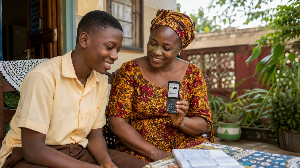
MTN Mobile Money is one of the simplest and most widely available ways to purchase your BECE results checker in Ghana. The entire transaction takes just a few minutes, and your PIN and Serial Number are delivered to your phone by SMS as soon as payment goes through.
Step-by-Step Purchase Guide
Follow each step in order to complete your purchase:
1. Open MTN Mobile Money: Dial 170# on your phone and press the call button to launch the MoMo menu.
2. Select Pay & Pay Bill: From the main menu, choose option 2 (MoMo Pay & Pay Bill).
Choose Pay Bill: Select option 2 again to proceed to the Pay Bill section.
Select General Payment: Pick option 5 for General Payment.
Fill in the Payment Details: When prompted, enter the following: Payment Code: FAST | Amount: 25 | Reference: BECE
Authorise the Transaction:
Enter your personal MTN Mobile Money PIN to approve the payment and complete the process.
Once the payment clears, your results checker PIN, Serial Number, and usage instructions will arrive via SMS almost immediately.
Why Use MTN Mobile Money for Your Checker?
There are several practical reasons why this method is popular among students and parents across Ghana:
Fast and Convenient: The whole process happens on your phone in under five minutes. There’s no need to travel to a vendor or stand in a queue. This is especially helpful for candidates in rural or remote areas.
Instant Delivery: Your PIN and Serial Number arrive by SMS immediately after payment, so there’s no waiting around and no risk of losing a physical scratch card.
Secure Transactions: Every payment is protected by your private MTN Mobile Money PIN. This greatly reduces the risk of fraud compared to purchasing from unknown or informal vendors
Widely Accessible: Any student or parent with an active MTN Mobile Money account can use this method, regardless of where they are in Ghana.






Entertainment