This blog is managed by the content creator and not GhanaWeb, its affiliates, or employees. Advertising on this blog requires a minimum of GH₵50 a week. Contact the blog owner with any queries.
Harry Graphic Blog of Tuesday, 11 August 2026
Source: Harry Graphic
How to Check 2026 WASSCE Results on Phone
- Share:


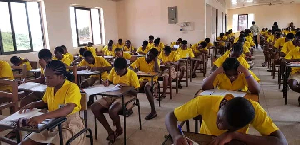
How to Check 2026 WASSCE Results on Phone
Quick answer: dial *790*024# and follow the menu to check your 2026 WASSCE results straight from your phone, no data needed.
Here are the quick questions, answered.
Can I really check my results on my phone?
Yes, start to finish. No internet cafe, no queue. Dialling *790*024# runs over your mobile network and pulls your grades for you. It works on any phone, smartphone or basic.
What do I dial, and what happens?
Dial *790*024# and follow the prompts:
1.Dial *790*024#.
2.Choose Check WASSCE Results.
3.Enter your Examination Number and the year (2026).
4.Approve the Mobile Money payment.
Do I need data or Wi-Fi?
No. The shortcode works over the cellular network, so you can check with zero data.
If you would rather buy a checker to keep, you can do that at fastcheckers.com.
Where does my result slip go?
Straight to your phone. Your results, and a link to download your PDF result slip, are sent to you by SMS. Tap the link to open, save, or print your slip.
What if the code will not go through?
It can get busy the day results drop. Wait a bit and retry, or use the backup *714*0244#.
What do my grades mean?
A1 to F9, where A1 is Excellent and F9 is a fail. A1 to C6 are the credit passes tertiary programmes look for. (For the WASSCE school candidates sitting.)
In short: dial *790*024# to check on your phone, or buy a checker at fastcheckers.com. See also: the shortcode to buy a checker, and when the results are coming out.